The device belongs to the parents
Kidharbor takes full ownership of the child's device. No reset, no bypass, no uninstall by the child – parents can change anything at any time.
Kidharbor anchors protection so deeply in your child's smartphone that it cannot be bypassed. An AI spots bullying, threats and suspicious strangers in chats and on the web and reports to you – the AI reads, not the parents. You control everything from a simple app, even by voice message if you like.
14-day free trial · One plan for the whole family · Developed in Switzerland
Explained in 60 seconds
What Kidharbor is, what it promises and what it costs – in short.
Language: German, with German subtitles. An English version will follow.
What it's about
At some point every child gets their first smartphone, usually between the ages of 10 and 14. From that moment on, parents and schools face the same questions: How much screen time is healthy? Which apps are suitable? How do you prevent unwanted costs? And above all: How do you protect the child from what happens in messengers and social networks – bullying, threats, inappropriate content, contact with strangers? Today, violence rarely starts in the playground. It starts in the chat.
Kidharbor is different. It anchors protection so deeply in the device that the child cannot remove or bypass it. An AI watches what happens in messengers and in the browser and tells parents when something is wrong – as an assessment, not as a chat log. Parents control everything from a simple app on their own phone.
What Kidharbor promises
Kidharbor takes full ownership of the child's device. No reset, no bypass, no uninstall by the child – parents can change anything at any time.
Total time per day, time per app, time windows, bedtime. Every new app needs a yes from the parents. And with chores, the child can earn screen time.
A protection agent detects bullying, threats, drugs, violence, sexual content and suspicious strangers in chats and on the web – and reports to the parents. Without reading along.
In-app purchases are stopped and submitted for approval – and none goes unnoticed.

Developed in Switzerland. Everything concerning the child is checked by a Swiss provider in a Swiss data centre. No sharing of children's data.
A wizard guides you step by step through setup. After that, you just tell the Kidharbor assistant what you want – and it gets done.
How it works
Parents download the Kidharbor Parent App and create their family. A wizard guides them step by step through the setup – built for parents who are not technicians. The child's device is reset once and scans a QR code from the Parent App; this anchors Kidharbor firmly in the device. A second parent joins by invitation.
From then on the child sees a tidy home screen with exactly the apps that are approved and a fixed dock with Phone, Contacts, Browser and Messages. The child may arrange its apps itself. Parents get a maintenance PIN that gives them full access to the device at any time.
Chores: Parents create tasks with a value in minutes – tidy the bedroom, walk the dog, sport. The child marks it "done", the parents confirm, the time is credited. If you like, run the model "0 minutes base, every minute earned": motivate instead of forbid – and fewer arguments about the phone.
Reminders: Homework, training, dentist, exam. Set by the parents or created by the child itself – they appear directly on the child's device.
The Play Store stays open. When the child downloads an app, it initially lands in the background and cannot be used. Parents receive a message ("Robin installed Roblox – approve?") and approve the app – with a time budget right away if they wish.
Purchase attempts in games and apps are stopped and reported to the parents. Should a purchase go through in the background (e.g. a subscription renewal), parents are informed immediately – with app, amount and time.
The AI reads, not the parents. On the child's device, a protection agent watches what arrives in messengers and what happens in the browser. If it detects bullying, threats, drugs, violent or sexual content, or strangers with suspicious intentions, it reports this to the parents – as an assessment, not as a chat log. Everything else stays private.
If you don't want to click through menus, just say it: "My son may use YouTube 20 minutes a day, WhatsApp only until 8 pm – and please lock everything now." The assistant understands voice and text messages, applies the rules and briefly confirms. Before intrusive actions it asks for confirmation. Every change is traceable in the app.
The child has its own age-appropriate assistant on its phone for homework and questions. It knows no adult topics, opens no external links and makes no purchases. If a child talks about bullying, fear or strangers, it responds empathetically, encourages talking to parents or a teacher and shows the way to help. Parents can view the conversations – the child knows this.
Our stance
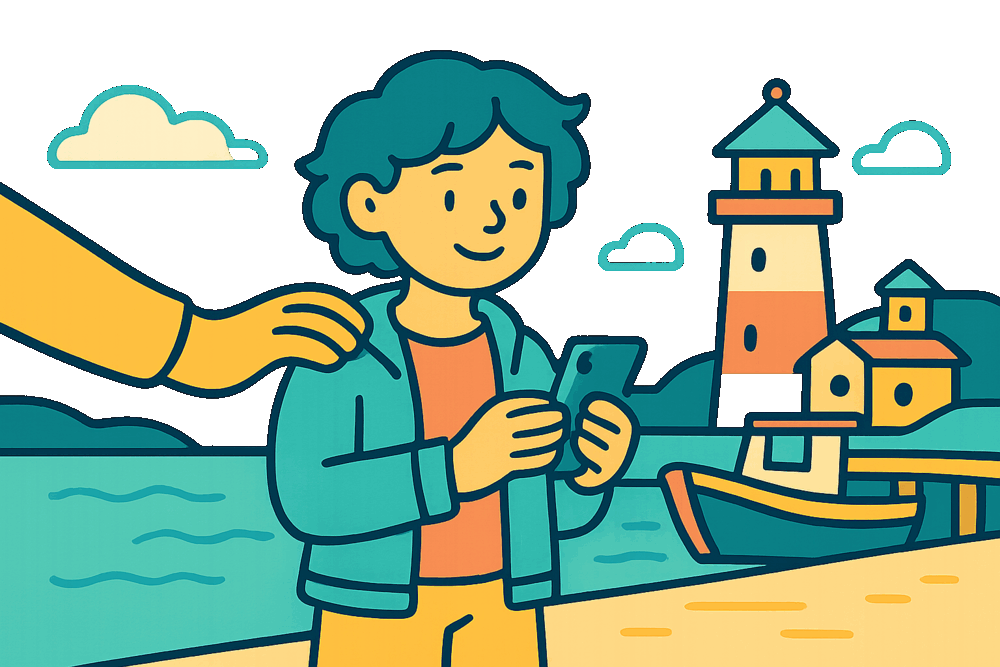
Kidharbor is a protection tool, not a surveillance instrument. The child's device shows that Kidharbor is active, and an info page explains to the child what parents can see. The child knows that parents can look – not when they do. It is like a bike helmet: visible, understandable, and eventually taken for granted.
Nobody reads the chats – the AI reads, not the parents. Parents learn when something happens, not what their child writes to their best friend. For older children, Kidharbor recommends less insight and more personal responsibility; the settings grow with them.
Comparison
There are two kinds of products for a child's phone on the market: classic parental control apps and so-called surveillance apps that secretly read chats and photos. Kidharbor is deliberately neither.
| Parental control, surveillance app – or Kidharbor? | Parental control app | Surveillance app | Kidharbor |
|---|---|---|---|
| Can the child remove or bypass it? | Yes – uninstall, factory reset, safe mode | Yes, as soon as it is discovered | No – anchored in the device |
| Does the child know about it? | Usually yes | No – hides on purpose | Yes – visible, with an info page for the child |
| What is collected? | Usage, location, often browsing history | Everything: chats, photos, keystrokes | By default only usage times per app |
| Chat and web protection | Age filter | Reads everything | AI detects dangers and reports them – parents don't read along |
| Where is the data stored? | Usually USA | Often Asia, unclear | Switzerland (children's content), Swiss data protection |
| New apps and purchases | Age filter | No control | Every app and every purchase needs a yes from the parents |
For schools, municipalities and organisations
Kidharbor works as a concrete recommendation for the first phone at parents' evenings – and for day schools, schools with loan devices and childcare facilities. A pilot starts with a conversation and 5–10 families. We send our dossier for schools, municipalities and organisations on request: hello@kidharbor.app
Offer
CHF 14.90
per month, per family
Kidharbor is not free: every chat check and every assistant answer costs computing power. Annual plan with discount. For pilot partners (schools, municipalities, organisations) we discuss conditions individually. A charity programme for municipalities with voucher codes is planned. Prices in CHF incl. VAT, subject to change until market launch.
Kidharbor runs on Android smartphones and tablets as a so-called Device Owner – the highest management level Android grants an app. It is otherwise only used in professional device management for companies and is the reason why Kidharbor cannot be bypassed. The Parent App is available for Android; the iPhone version is in preparation and coming soon to the App Store. The child's Windows laptop or PC can be included with the same time budget (in preparation). Chat and web checks run with a Swiss provider in a Swiss data centre.
This level of protection is currently not possible for anyone on iPhone, iPad and Mac – it would require approvals from Apple. Our recommendation for the first phone: Android.
Roadmap
Everything runs on Android: time rules, chores, reminders, chat and web protection, SOS, parent and kids assistant, push notifications. With selected families, schools and municipalities.
Parent App in the App Store (iPhone), the child's Windows PC, public market launch.
Language model entirely in Switzerland, charity programme for municipalities, more languages and regions.
Read more
Why existing parental controls fail, how Kidharbor anchors protection in the device – and where its limits are. Five pages for parents, school leaders and anyone who wants the details.
Download the whitepaperWe are looking for families, schools, municipalities and organisations that want to be the first to use and shape Kidharbor. Drop us a short line about who you are and how old your child is – we'll get back to you personally.